
If you’re looking for information on how to embed your Chatwith Agent in your WordPress website, you’re in the right place! Here’s how to add Chatwith to a Wordpress website with Chatwith.

Add your agent to your WordPress website
Adding your agent to your website can be done in two steps that take just a minute!
You can use our official WordPress plugin to install AI on your website. Simply install the plugin available in the WordPress.org plugin store and follow the instructions: https://wordpress.org/plugins/chatwith
In the Chatwith dashboard
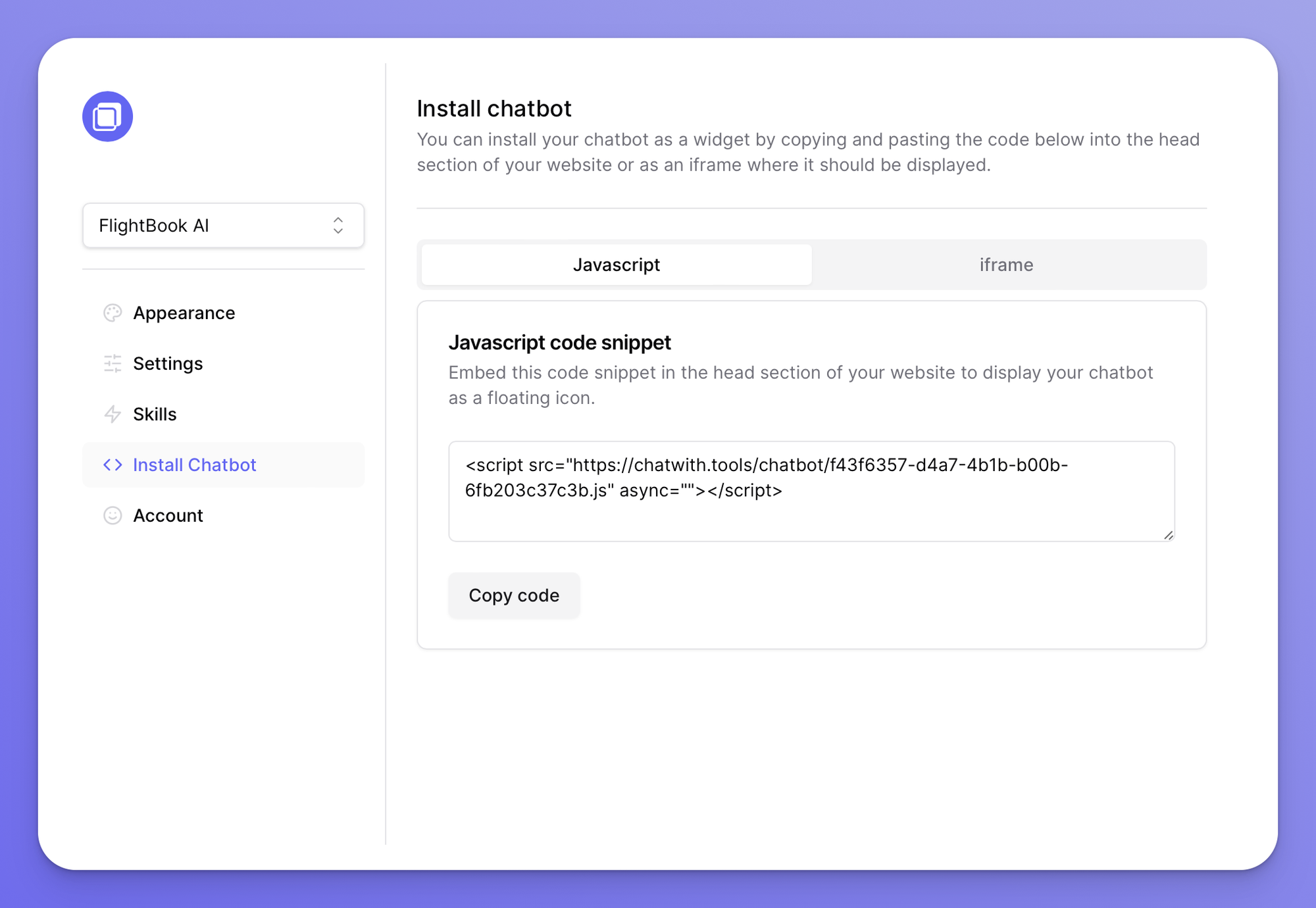
Select your agent from the dropdown menu at the top, click on the Install agent section in the sidebar, then click on the Copy code button to copy your code snippet.
In WordPress
This guide refers to self-hosted websites from Wordpress.org.
- Click on Pages
- Select the page you would like to have the agent displayed on
- At the bottom of the page, type / to bring up the block selector and choose Custom HTML
- Paste your Chatwith code snippet
- Update the page to save your changes.
You can use a WordPress plugin that does the heavy lifting for you.
- Choose any of the popular plugins available here: https://wordpress.org/plugins/search/header+script/
- After installing a plugin, simply open it and follow the steps for adding a script to your WordPress header.
You can reference this article for more ways for adding a custom script to your WordPress site.
How to exclude agent from some pages?
If you installed the agent using a plugin, there is no straightforward way of disabling it on certain pages.
If you’d like to show the agent only on a few pages (eg. only the homepage) then we recommend adding the code snippet method (described above) to those pages.
If you’d like to show the agent on all pages except a few then we recommend adding a code snippet which hides this HTML element from the current webpage (see this guide).
What is Wordpress?
WordPress is a popular content management system (CMS) that allows individuals and businesses to create and manage their own websites. It offers a flexible and user-friendly platform for all types of websites, from blogs to e-commerce stores. Its extensive range of themes and plugins makes it a versatile choice for web development.
Why add Chatwith to Wordpress?
Adding a custom GPT to your WordPress site can enhance user engagement, provide personalized customer service, and automate routine tasks. It can also give your website a modern touch, setting it apart from the competition.
Your GPT can answer queries, provide product recommendations, and even entertain your users with jokes and trivia. Offering real-time, interactive communication can increase user satisfaction and boost your site’s conversion rates.