
Training your agent on your text resources is great to get your agent up and running. To make sure your agent provides the best possible answers to your visitor questions, you can use Refinements.
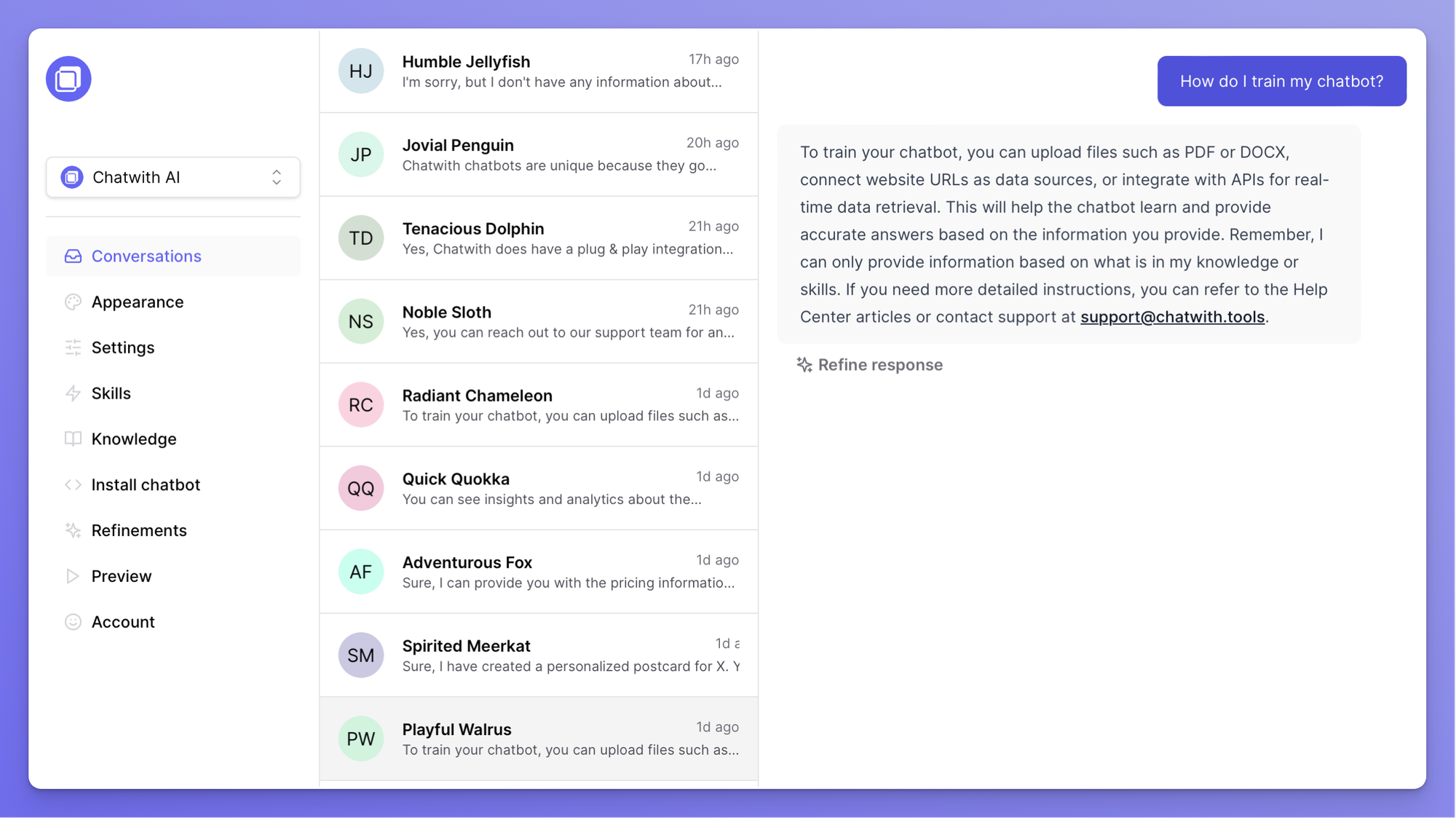
The easiest way fine-tune your agent is by using the Refine answer functionality directly in your Conversations section in the Dashboard.
To do this, open your Conversations and find a question you would like to add a refinement for.
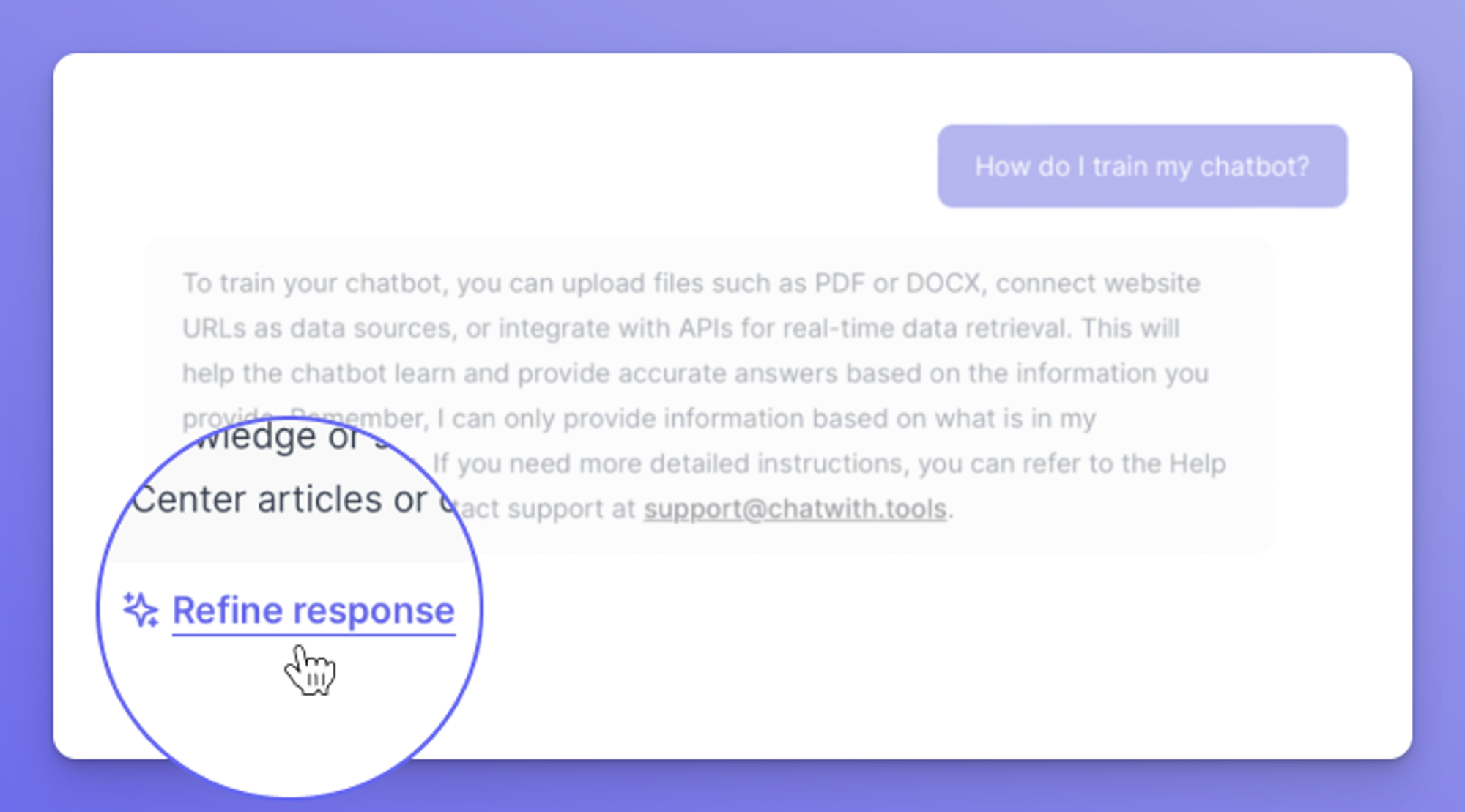
Click on the Refine answer button underneath the answer the agent supplied to improve it.
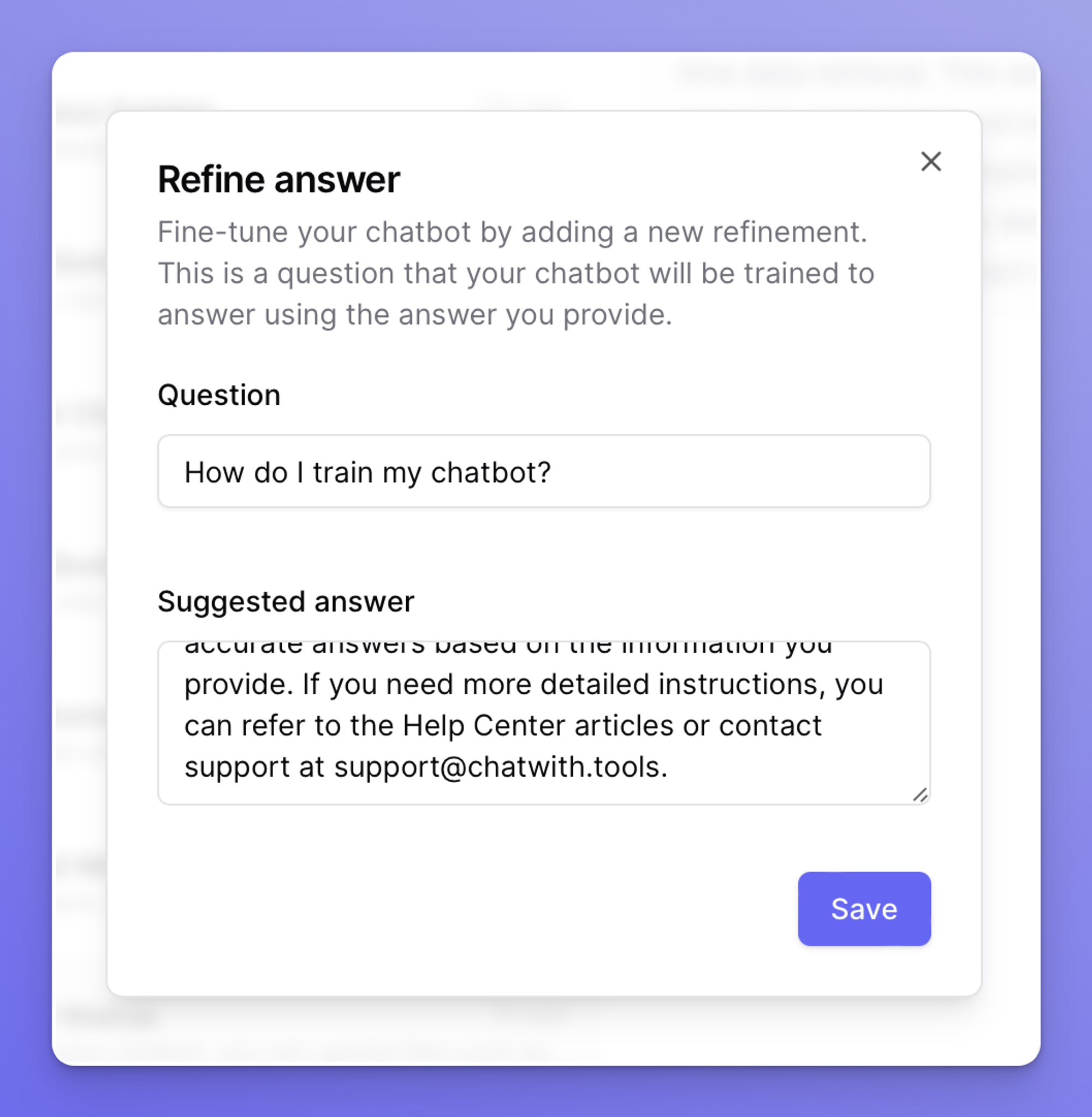
Update the suggested answer you would like to use to train your agent, and click on the Save button.
Your agent will now answer questions similar to the one you trained it for, using the suggested answer.
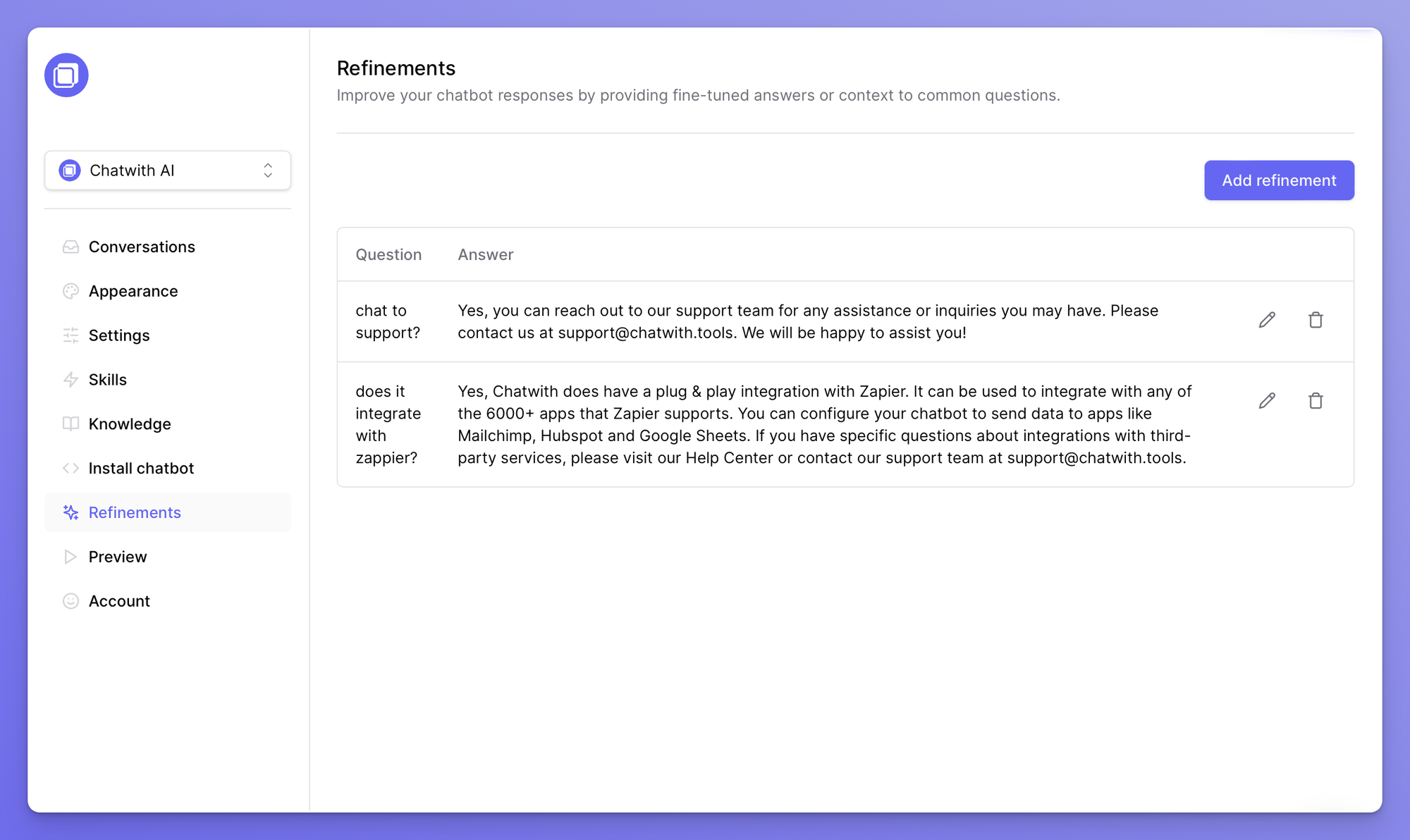
Refinements can also be used as simple Q&A knowledge sources for your agent.
You can find all refinements in the dedicated section in the dashboard: https://chatwith.tools/app/refinements
Looking to improve the quality of training sources? See common questions and answers here:  Knowledge sources: frequently asked questions